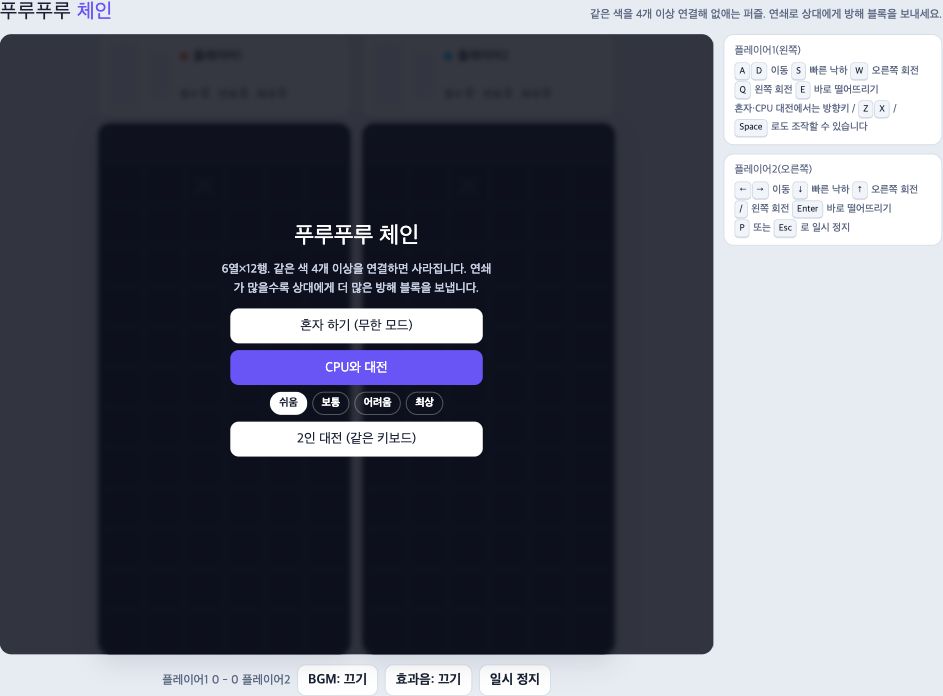
PuruPuru Chain
Takeshi Hiratsuka
Leave a Nest Knowledge
Seoul Dreamin’ 2026 11 Nov 2026
011 New ways to use Slack



Salesforce Architect
Executive Vice President, Leave a Nest Knowledge
Tableau Ambassador 2026
Data 360 / Slack / Tableau Next
Datablazer Community Group Co-leader (onboarding)
Dreamforce 2025 / CNX 2026
TDX 2026 / Tableau Conference 2026
Talks in 2026
🇯🇵Japan
14🇺🇸US
7🇱🇰Sri Lanka
2🇰🇷Korea
My first!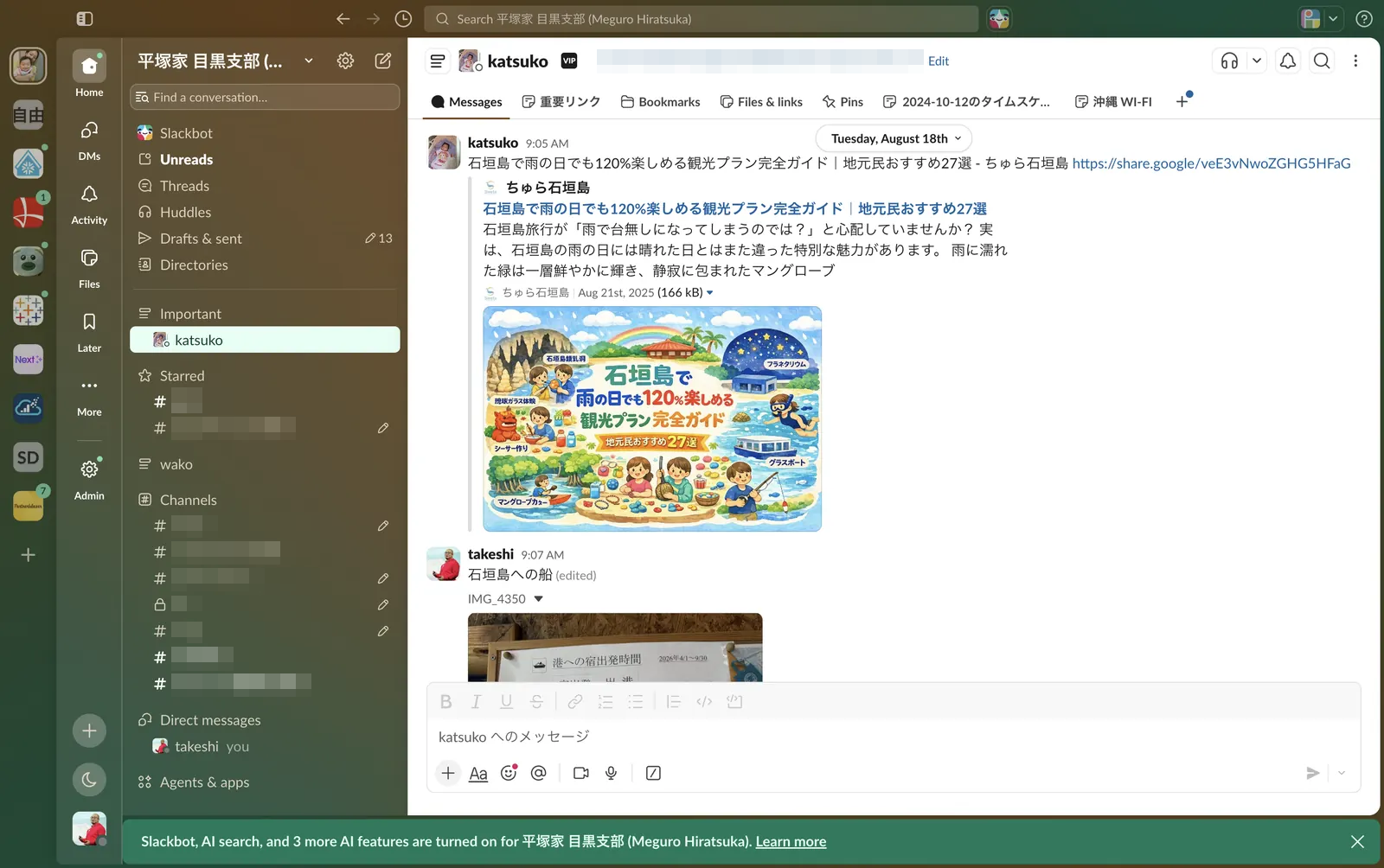
My family Slack. Private details are hidden.
041 New ways to use Slack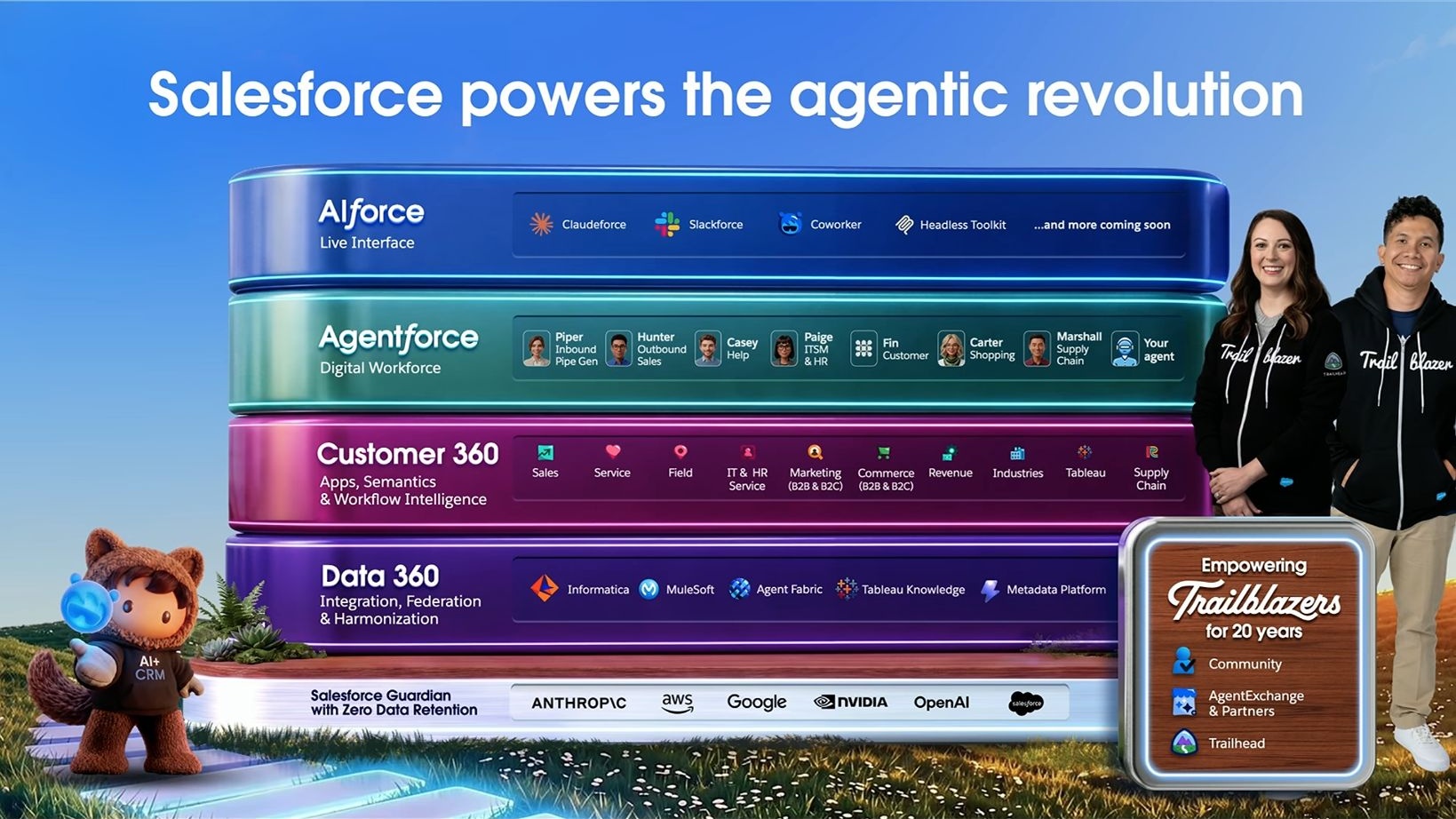
Dreamforce 2026 Main Keynote, 34:47
051 New ways to use Slack01

“Find Salesforce’s
revenue growth for
the last three years.
Make a report with sources.”
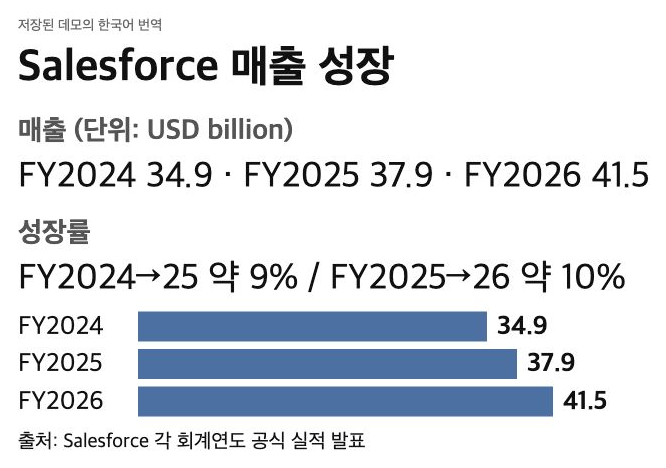
Revenue for FY2024–FY2026, in USD billions.
Sources: public earnings reports.
02
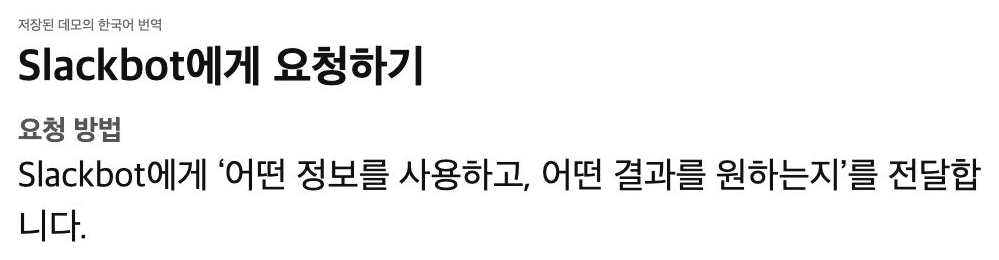
Tell Slackbot what
information to use and
what result you want.
03
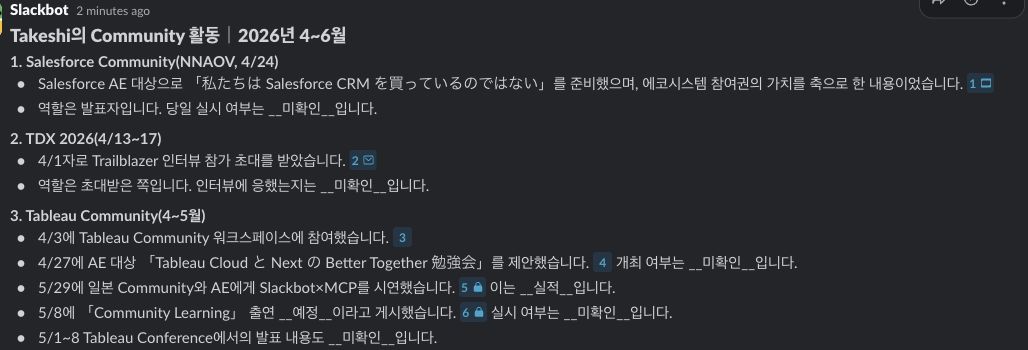
When you need someone’s activity report from a particular perspective,
ask Slackbot to create it.
Example
“Which communities was Takeshi active in from April to June 2026?”
Challenge
Example
“Find a time for a
30-minute meeting with
Takeshi, Yuji and George.”
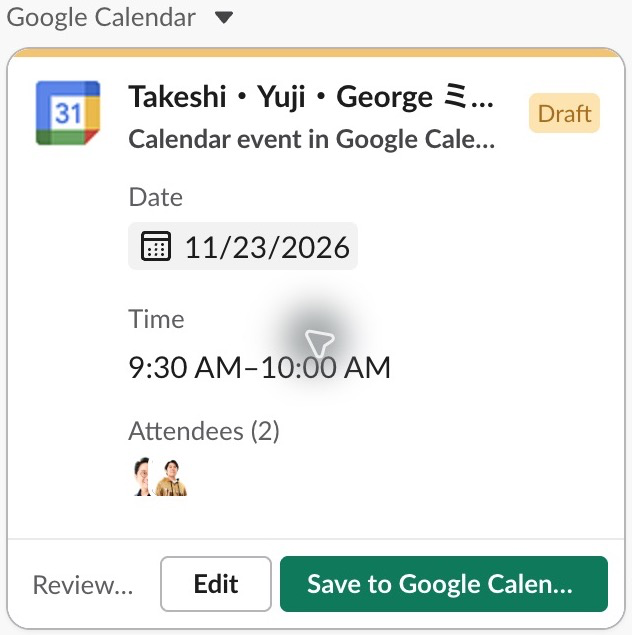
English summary of the saved screen
Takeshi, Yuji and George
23 Nov 2026
09:30–10:00, Japan time
This is an unsaved draft.
No calendar event or invite was sent.
04
Challenge
Example
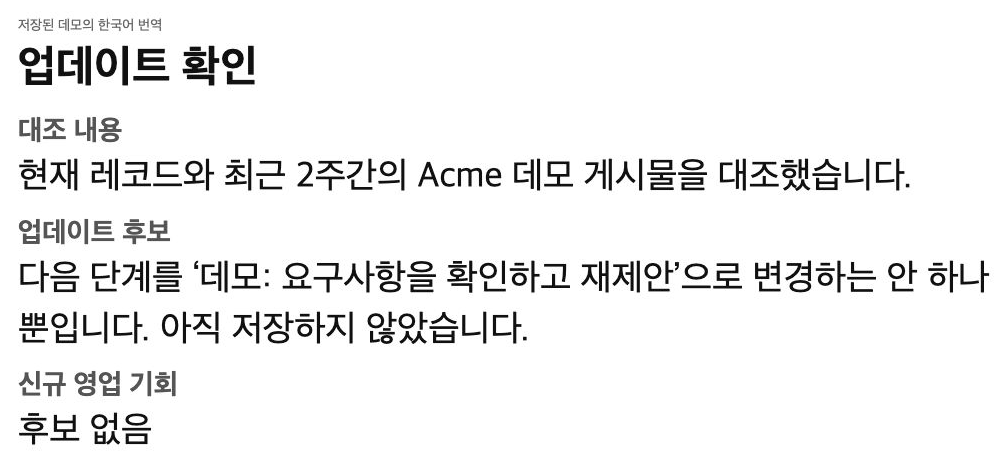
“Use two weeks of Acme posts.
Find deals to create or update.
Show the sources.”
05
Challenge
Example
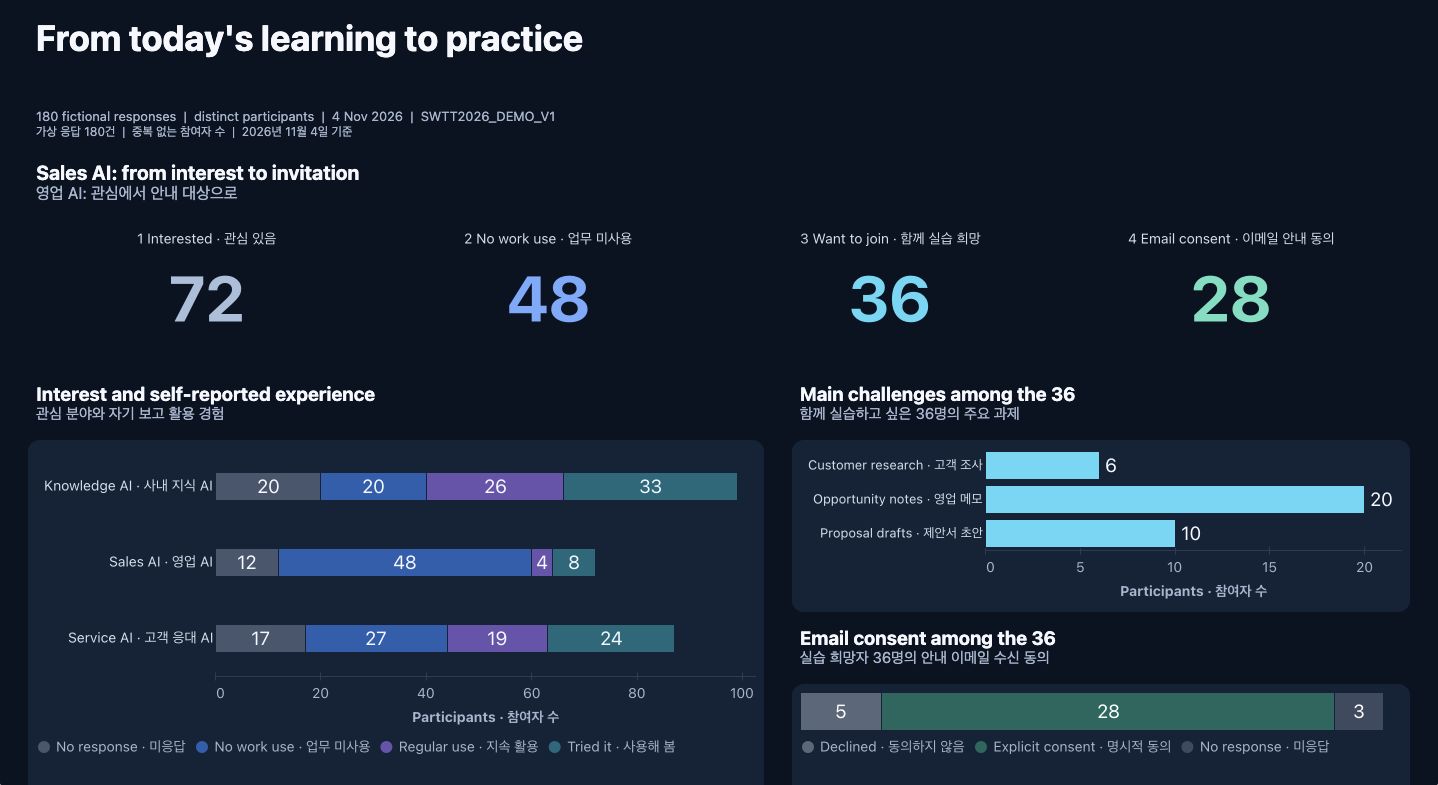
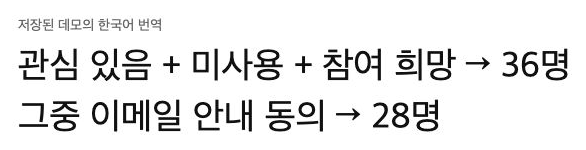
“Who is interested in sales AI, has not used it, and wants to join a session?
Who also agreed to email?”
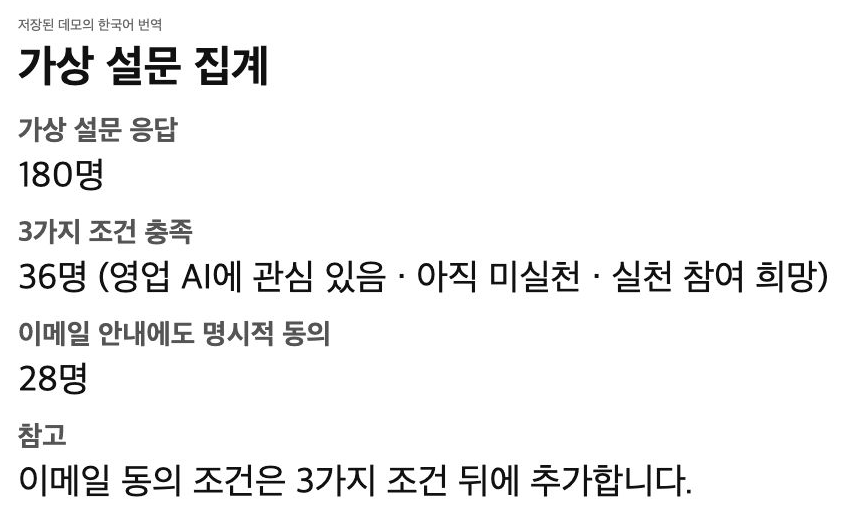
People in the demo survey
Interested in sales AI
Not yet using it, and want to join
Also agreed to email
Challenge
Example
“Create a new segment for people
interested in sales AI,
who have not used it at work,
want to join, and agreed to email.”
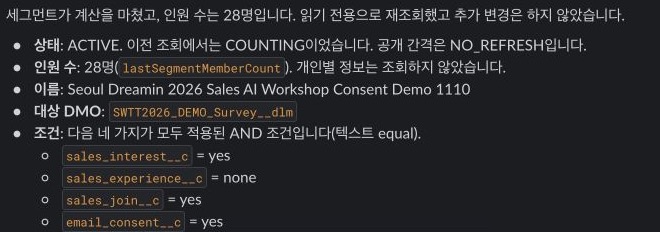
English summary of the saved screen
Demo data. We created a new segment via Data 360 MCP.
No emails were sent. No activation was run.
06
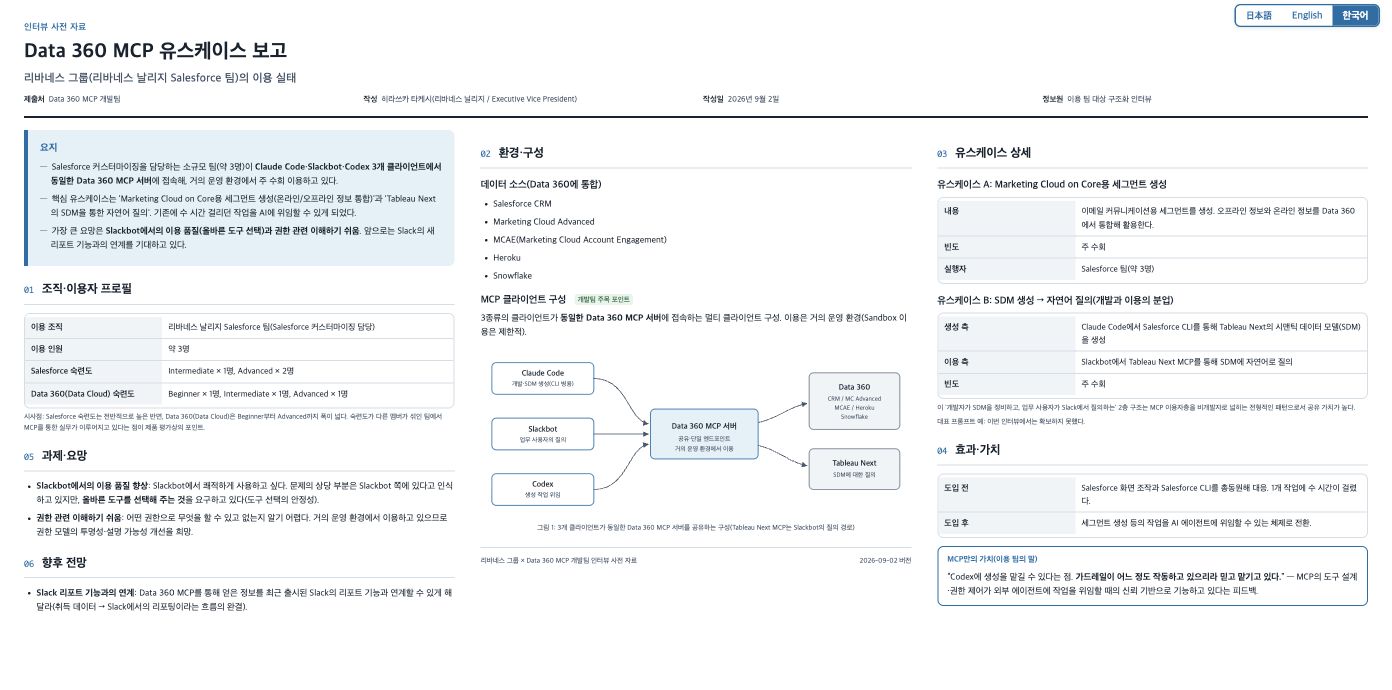
MCP is a shared way for AI to use data and tools in other systems.
Ask in a conversation
Read or change records,
such as sales deals

Ask about data and count results.
Use the tools the system provides.

07
Try one example
in your own work.Start with a daily report, a thread summary,
or meeting prep.
Try Slackbot
in a community Slack.Start with summaries or drafts.
You do not need MCP for these.
Some communities offer 15 messages a week.
The 15-message limit applies to members of Business+ workspaces with Slackbot enabled.
Ask the community if Slackbot is available.
Challenge
Example
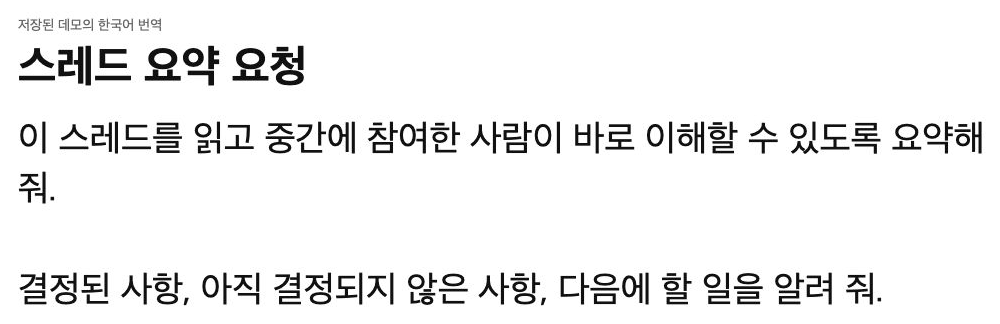
“Summarize this thread.
What did we decide?
What is still open?
What should we do next?”
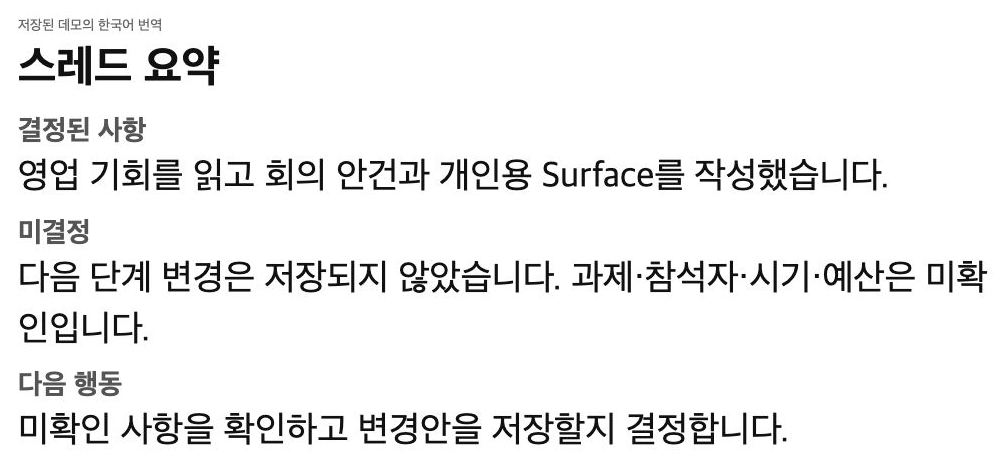
English summary of the saved screen
The deal was read. A meeting agenda and a report were made.
The deal change is not saved. We still need to check the needs, people, timing and budget.
Check the open points. Decide whether to save the suggested change.
Challenge
Example
“Use the deal and our chat.
List the questions to ask.
Make a 30-minute agenda.”
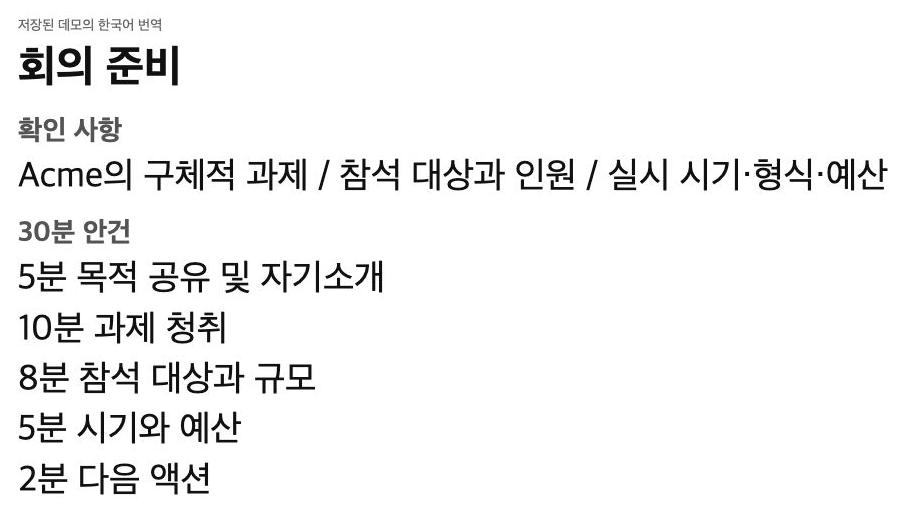
English summary of the saved screen
What does Acme need? Who will join?
What are the timing, format and budget?
Challenge
Example
“Summarize Acme’s deal for 2028. What is the next step?”
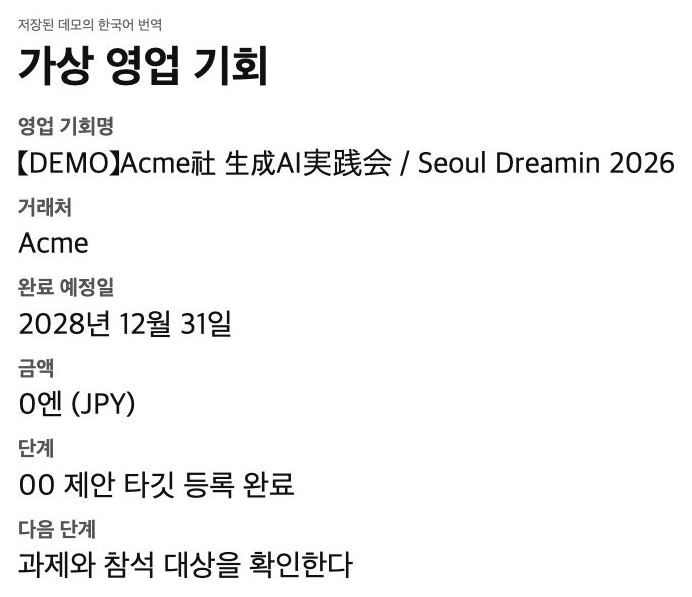
English summary of the saved screen
Read only. The deal was not changed.
← → / Space to move, G for the index, F for full screen. Select an image to enlarge it; Esc closes the viewer. 35 main slides and 6 appendix slides. On narrow screens, scroll to read.
Talk material for Seoul Dreamin’ 2026, November 11, COEX room 327, Seoul. Practical Slackbot examples connect Salesforce, Tableau Next, Data 360, MCP and the evolving Admin role.
English slides mainly retain the supplied Korean screenshots, including translated displays. Japanese slides use Japanese captures. Acme is a fictional deal; SWTT uses 180 fictional survey responses. These are saved demonstration screens. This public page performs no product actions or message delivery.
Seoul Dreamin’ official site · Event template
Slackbot · Salesforce connection and record settings · Surfaces · Colombo · Dreamforce keynote